






GTspins Casino App
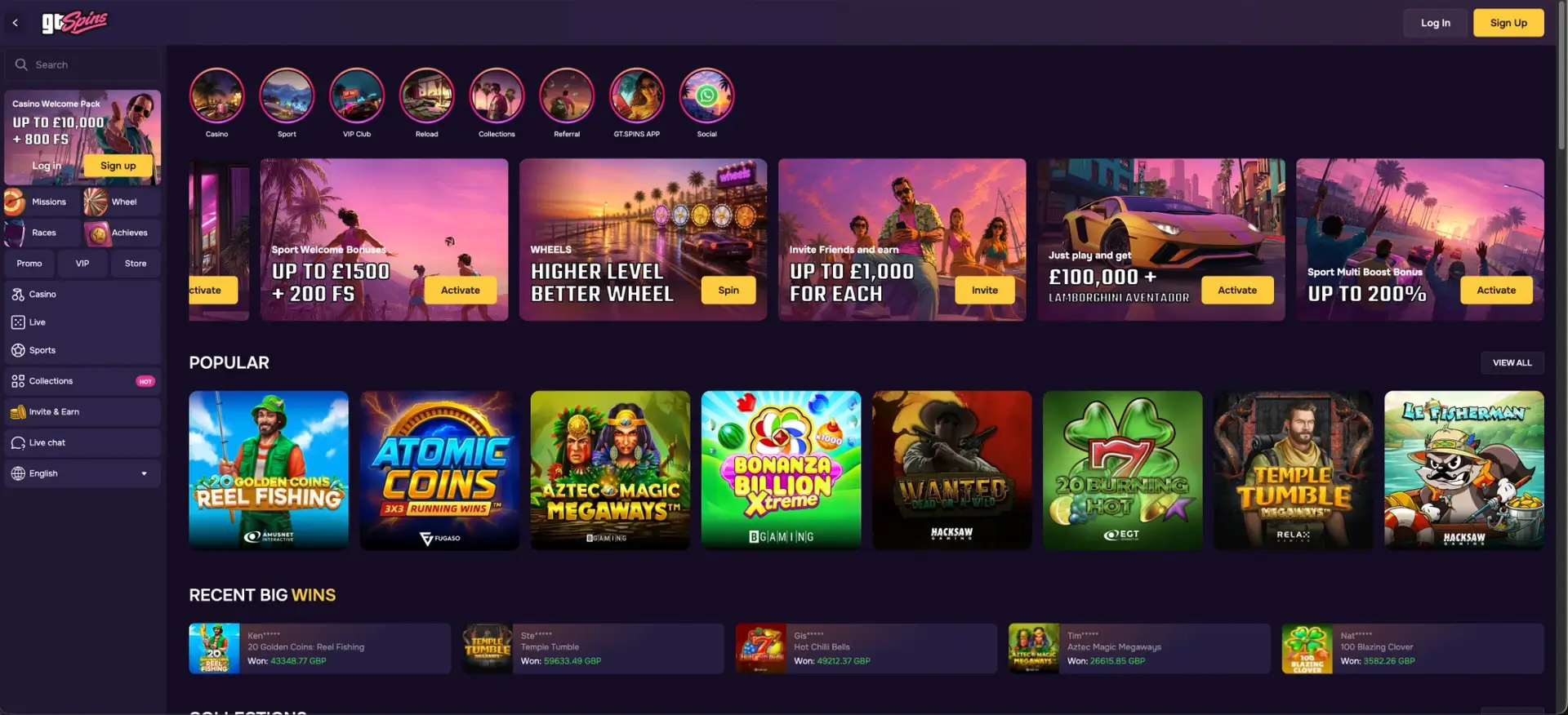
GTspins casino offers a dedicated GT Spins app for Android and iOS, downloaded directly from the site, alongside a responsive mobile website that runs in any modern browser. Both give UK players the full platform in GBP - over 2,000 games, the live casino, the sportsbook and the complete cashier - on one shared wallet. The app adds fingerprint or Face ID sign-in and typically installs at around 40–80 MB, while the browser version needs no download and can be pinned to the home screen. Games run in HTML5, adapt to portrait or landscape, and keep live-dealer streams and high-graphics slots stable on 4G or Wi-Fi.
This guide covers how to download and install the app, how to reach GTspins in a mobile browser, the features available on the go, and how deposits and withdrawals work on mobile in pounds.
| Feature | Mobile and app details |
|---|---|
| Native app | Yes - Android and iOS, via direct download from the site |
| Typical app size | Around 40–80 MB |
| Browser access | Safari, Chrome or any modern browser - no download needed |
| Home-screen shortcut | Available on both iOS and Android |
| Game catalogue | Over 2,000 titles - same as desktop |
| App login | Fingerprint or Face ID on supported devices |
| GBP cashier | Full deposits and withdrawals on mobile |
| Live casino | Streamed on mobile and in the app |
| Sportsbook | Pre-match and live betting on mobile |
| Security | SSL/TLS encryption - same as desktop |
Does GTspins casino have an app?
Yes. GTspins casino provides a native GT Spins app for both Android and iOS, distributed by direct download from the website rather than only through a mobile browser. The app brings the casino, live-dealer tables and sportsbook into one interface, supports biometric login, and installs at a size that suits most phones. Players who prefer not to install anything can use the mobile site, which carries the same games and cashier.
How to download and install the GTspins app
The app is downloaded from the GTspins site, so the exact route differs slightly between Android and iOS. Both are covered below.
Android download
Android installs the app from a direct download, so the device may ask to allow installs from the browser or from an unknown source. Follow these steps.
- Open gtspins.com in Chrome on the Android device.
- Select the app or GT.SPINS APP link and start the download.
- If prompted, allow installs from this source in the device settings.
- Open the downloaded file and confirm the installation.
- Launch the app and log in, then enable fingerprint sign-in if offered.
iOS download
On iPhone or iPad the app is reached from the site, and the browser version can stand in wherever an install is not needed. Follow these steps.
- Open gtspins.com in Safari on the iOS device.
- Select the app link and follow the on-screen prompts to install.
- Approve any permission the device requests to complete setup.
- Open the app and log in, then enable Face ID if offered.
How to access GTspins on the mobile browser
The browser version needs no installation and loads the same lobby, cashier and sportsbook as the app. Reaching it takes three steps.
- Open gtspins.com in Safari, Chrome or another modern browser.
- Log in with your email and password, or Google or Telegram.
- Browse the casino, live tables or sportsbook, all on one wallet.
How to add GTspins to your home screen
A home-screen shortcut opens the mobile site directly, giving an app-like launch without a download. The steps differ by platform.
iOS (Safari)
Safari adds the shortcut through its share menu.
- Open gtspins.com in Safari.
- Tap the Share icon at the bottom of the screen.
- Select Add to Home Screen.
- Confirm the name and tap Add.
Android (Chrome)
Chrome adds the shortcut from its main menu.
- Open gtspins.com in Chrome.
- Tap the three-dot menu in the top-right corner.
- Select Add to Home screen.
- Confirm the name to place the icon.
Features available on mobile
The mobile app and site carry the full platform rather than a cut-down version. The main features are listed below.
- Full game catalogue: over 2,000 slots, live tables, crash and instant games.
- Sportsbook: pre-match and live betting with real-time odds and Single, Combo and System slips.
- GBP cashier: deposits and withdrawals through cards, Revolut, Monzo, UK banks and crypto.
- Bonuses: the welcome package, weekly reloads, free spins and the Wheel of Fortune.
- Navigation: a collapsible menu, provider filters, Collections themes and search.
Performance on mobile
The mobile build is designed to load quickly and hold streams steady on a standard connection. Typical behaviour is set out below.
- Lobby loading: the home screen and game tiles render within a couple of seconds on 4G or Wi-Fi.
- Slots: titles from studios such as Pragmatic Play and Hacksaw open in a few seconds with steady frame rates.
- Live casino: streamed tables from Iconic21 and Absolute Live Gaming stay stable across a session.
- Cashier: the GBP cashier loads quickly, with deposits crediting almost immediately.
Mobile payments and withdrawals in GBP
The mobile cashier mirrors the desktop layout, so the same methods, minimums and speeds apply on a phone. The table below summarises the main routes.
| Method | Min. deposit | Payout speed |
|---|---|---|
| Visa / Mastercard | £20 | Issuer-dependent - allow a few business days |
| Revolut / Monzo | £20 | From 5 minutes to 24 hours after approval |
| UK bank transfer | £20 | A few hours to a couple of business days |
| Crypto (Bitcoin, Ethereum) | £20 equivalent | Minutes to a few hours after approval |
Security on the mobile app
The app applies the same protection as the desktop site and adds device-level login options. The key measures are listed below.
- Encryption: SSL/TLS secures data between the device and the site.
- Biometric login: fingerprint or Face ID replaces password entry on supported devices.
- Two-factor authentication: available as an extra layer on the account.
- Automatic updates: the browser version is always current; the app should be kept updated.
Usage tips for UK players
A few settings make day-to-day mobile play smoother. The suggestions below help.
- Enable biometric login to open the app in one tap.
- Complete KYC verification early so mobile withdrawals are not held up later.
- Use Revolut, Monzo or crypto for the fastest payouts to a phone.
- Set responsible-gambling limits in the account to keep control on the go.
GTspins casino app FAQ
Common questions about the GTspins casino app are answered below.
Is there a GTspins casino app for Android and iOS?
Yes. GTspins offers a native app for both Android and iOS, downloaded directly from the website. A responsive mobile site is also available for players who prefer not to install anything.
How big is the GTspins app?
The app typically installs at around 40–80 MB, which suits most modern phones and tablets.
Can I deposit and withdraw in the app?
Yes. The full GBP cashier is available on mobile, with cards, Revolut, Monzo, UK bank transfer and crypto. Minimums and payout speeds match the desktop site.
Do the app and mobile site have the same games?
Yes. Both carry the full catalogue of over 2,000 titles, the live casino and the sportsbook, with no reduction from the desktop version.
Is the GTspins app safe to use?
The app uses SSL/TLS encryption and supports fingerprint or Face ID login plus two-factor authentication. Downloading only from the official site and keeping the app updated adds further safety.
Do I need the app, or is the mobile site enough?
Either works. The app adds biometric login and a launcher icon, while the mobile site delivers the same games and cashier with no download. The choice comes down to preference.